

What the Unified Inbox Does
- Single view for all channels — WhatsApp, email, and OTA messages in one list. No switching between apps.
- AI-powered suggestions — Cendra’s AI suggests responses for every incoming message, grounded in your property data and reservation context.
- Reservation sidebar — See the guest’s booking details (check-in date, property, guest count, status) alongside the conversation without leaving the inbox.
- Search and filter — Find conversations by guest name, property, channel, status, or label. Autocomplete search helps you find what you need fast.
- Message status — Track which messages are handled by AI, which need human review, and which are escalated.
- Translation — Communicate with guests in any language. Cendra translates incoming messages and lets you respond in the guest’s preferred language.
- Team collaboration — Multiple team members can access the same inbox, assign conversations, and leave internal notes.
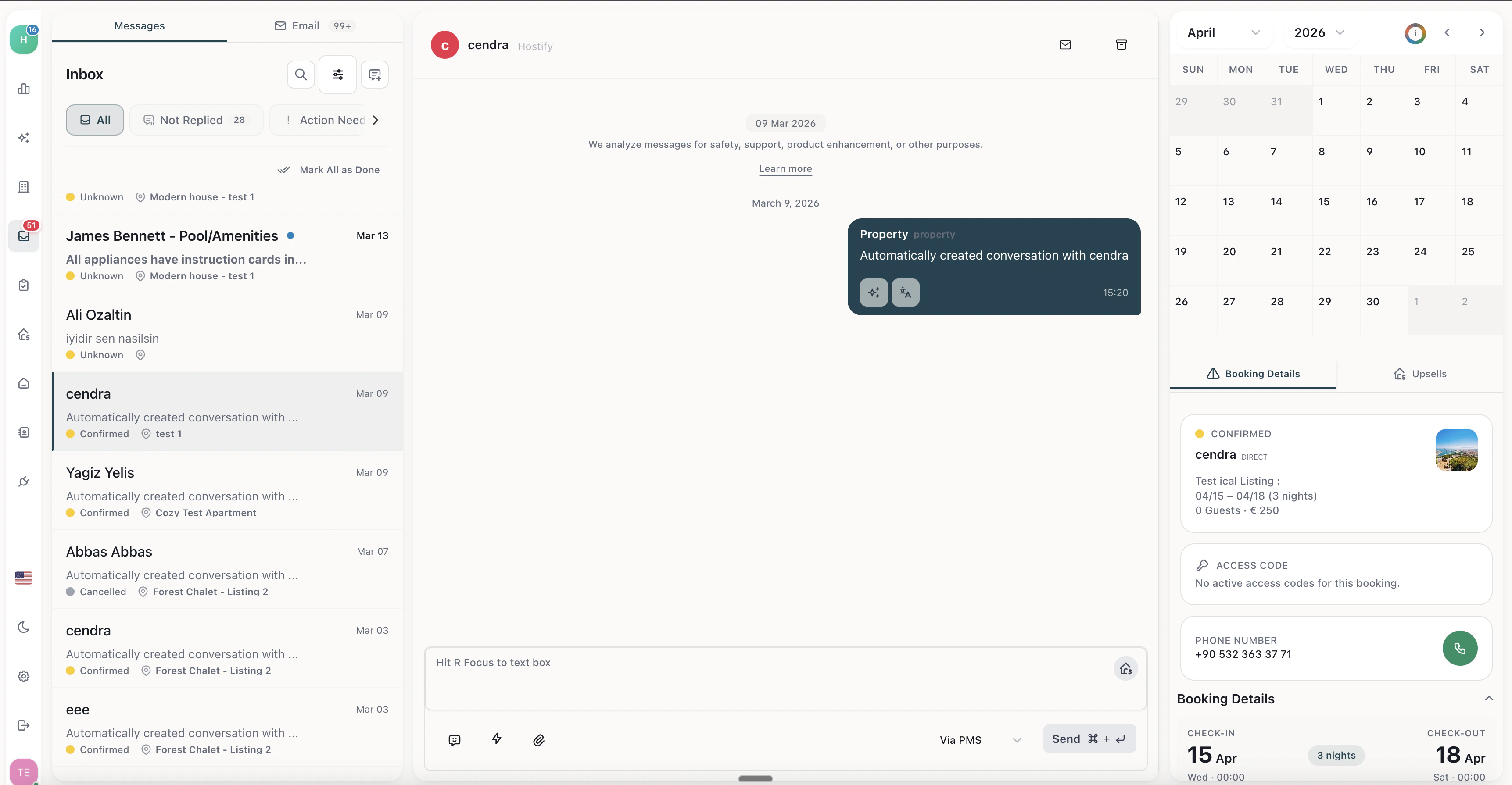
Unified Inbox — all guest messages from WhatsApp, email, and booking platforms in one view
How Messages Flow
Message Categories
Cendra automatically categorizes messages to help you prioritize:Connecting Your Channels
To use the unified inbox, connect at least one communication channel:- WhatsApp Business — Connect via WhatsApp Business API. Setup guide →
- Gmail — Connect via Google OAuth in Settings → Email
- Outlook — Connect via Microsoft OAuth in Settings → Email