

How the Knowledge Base Works
- Auto-populated from PMS — when you connect your property management system, Cendra imports property descriptions, amenities, and basic details automatically
- Enriched by you — add house rules, check-in procedures, local recommendations, FAQs, and custom information
- Used in real-time — every AI response checks the knowledge base for relevant information before answering
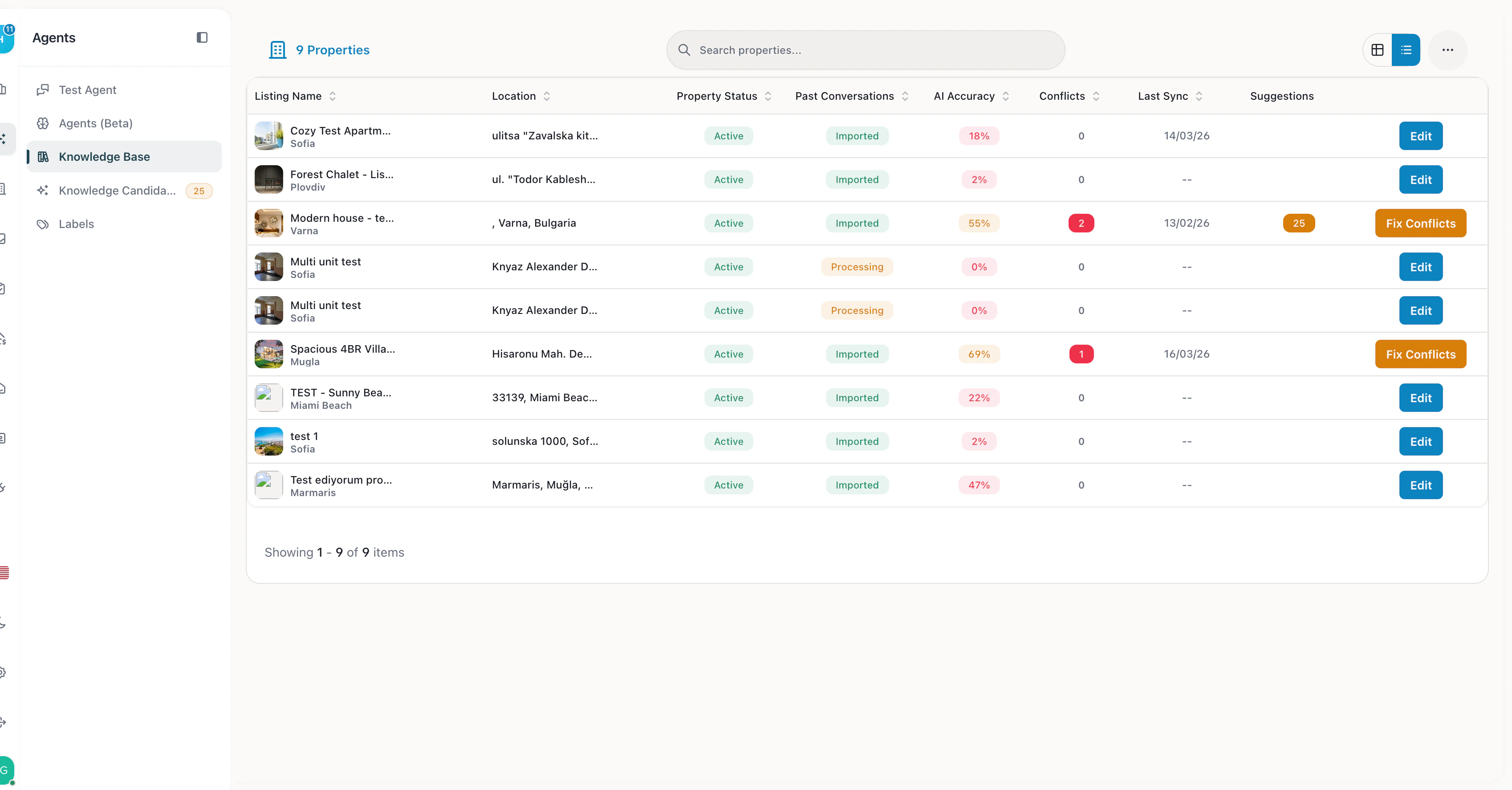
Knowledge Base — properties with AI accuracy scores, sync status, and conflict resolution
Conversation History Import
When you connect your PMS, Cendra imports up to 6 months of past guest conversations. This gives the AI immediate context about how your team communicates, what questions guests commonly ask, and how your properties handle different scenarios. This imported conversation history serves two purposes:- AI learning — the AI understands your team’s communication style and common responses from day one
- MIRA discovery — MIRA scans these past conversations to identify knowledge gaps and suggest answers that were already provided manually but never added to the knowledge base
Types of Knowledge
Data Hierarchy — How the AI Decides What to Say
When a guest sends a message, Cendra’s AI assembles context from multiple sources in a specific priority order. Higher-priority sources override lower ones when there’s a conflict.Priority Order (Highest to Lowest)
How the Classifier Works
Before generating a response, Cendra’s Classifier Agent analyzes the guest’s message and sets business flags:
These flags determine which tools the AI activates — the classifier decision effectively overrides generic conversation context when specific patterns are detected. This ensures emergencies are always handled as emergencies, regardless of what the knowledge base says.
Why This Matters
The data hierarchy ensures that:- Safety first — guardrails and escalation rules always take priority
- Your knowledge wins — property documents you uploaded override auto-synced PMS data
- Context is maintained — conversation history prevents the AI from losing track of what was discussed
- Fallbacks exist — if the knowledge base doesn’t have an answer, web search provides a safety net
Per-Property Knowledge
Knowledge is organized per property. Each property has its own knowledge base, so AI agents respond with property-specific information — not generic answers. If a guest at Property A asks about parking, the AI references Property A’s parking instructions, not Property B’s.Missing Knowledge Detection
When the AI encounters a question it can’t answer from the knowledge base, it:- Flags the conversation as “Missing Information” in the inbox
- You see what the guest asked and what knowledge was missing
- Add the missing information to the knowledge base
- Future similar questions are answered automatically
Managing Knowledge
- Navigate to Agent Hub → Knowledge Base
- Select a property
- Browse existing knowledge articles
- Add new knowledge — enter the topic and content
- Edit existing articles to keep them current
- Delete outdated information