

Quick link: Open Agent Hub in Cendra — https://app.cendra.ai/agents — select your agent, then click the Escalations tab.
How Escalations Work
Each escalation rule has two parts:- Condition — what triggers the escalation
- Action — what happens when triggered
Conditions
Escalation conditions determine when a conversation should involve a human:
Additional conditions can be configured through custom tag matching — see Tags.
Actions
When a condition triggers, Cendra takes one of two actions: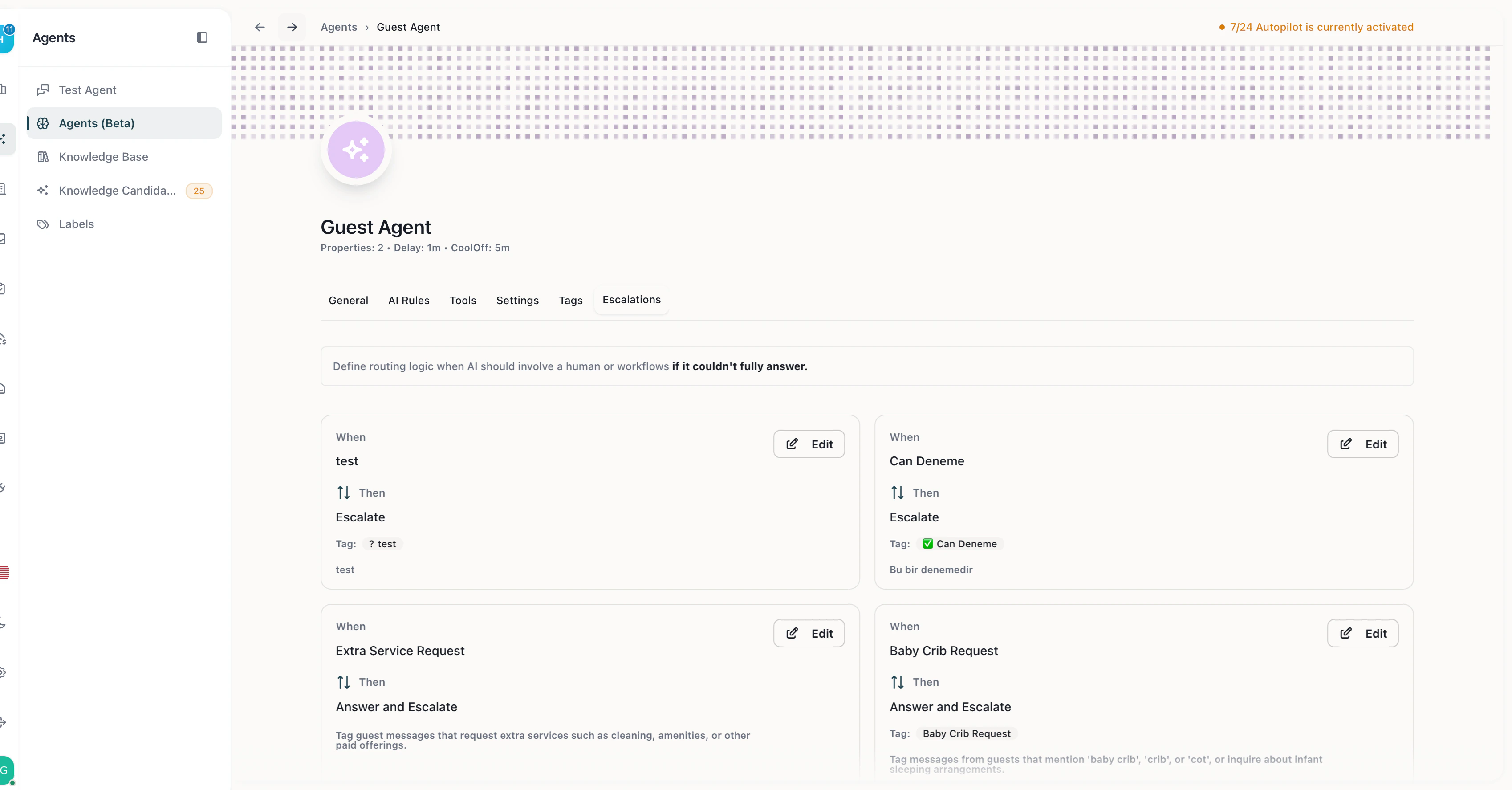
Escalation rules — condition-based routing with Escalate and Answer & Escalate actions
Creating an Escalation Rule
- Navigate to Agent Hub → your agent → Escalations
- Click Add Escalation Rule
- Select a condition from the dropdown
- Select an action (Escalate or Answer and Escalate)
- Save the rule
Best Practices
- Start with more escalations — when you first go live, escalate frequently. Reduce as you build confidence.
- Use “Answer and Escalate” for common questions the AI can partially handle — this keeps the guest engaged while your team prepares a complete answer.
- Combine with Tags — create tags for high-priority scenarios (complaints, maintenance, refunds) and set escalation rules that trigger on those tags.
- Monitor the Dashboard — track escalation rates to identify patterns and improve your AI’s knowledge base.