

Quick link: Open Sandbox in Cendra — https://app.cendra.ai/sandbox
Why Test in the Sandbox
- Verify accuracy — confirm the AI answers common questions correctly using your property data
- Test guardrails — make sure AI Rules prevent unwanted responses
- Check escalations — verify that escalation rules trigger when they should
- Tune tone — confirm the AI’s communication style matches your brand
- Build confidence — feel comfortable before switching to autopilot
Mock Reservation Setup
Configure a test reservation to simulate different guest scenarios:How to Test
- Navigate to Agent Hub → Test Agent
- Select a property and configure the mock reservation
- Type a message in the chat input
- Review the AI’s response
- Adjust knowledge, rules, or agent settings as needed
- Repeat until you’re satisfied
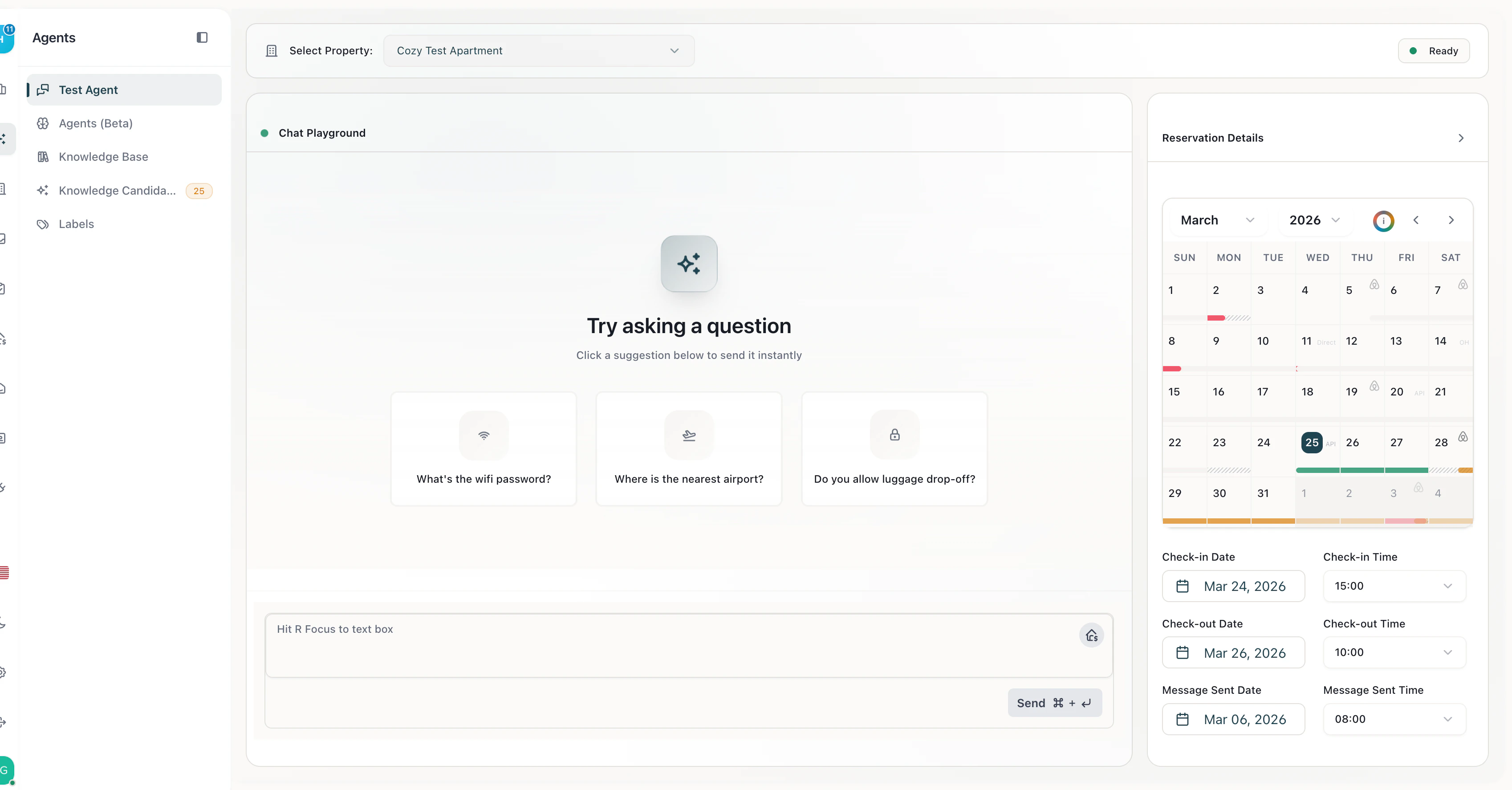
Sandbox — test your AI agent with mock reservation data and see responses in real time
Recommended Test Scenarios
Sandbox Limitations
- Messages are not sent to real guests
- No actual PMS data is modified
- Upsell offers are simulated but not charged
- The Sandbox does not connect to WhatsApp or email — it’s a standalone chat interface