

Quick link: Open Knowledge Candidates in Cendra — https://app.cendra.ai/knowledgebase/candidates
How MIRA Works
- Guest asks a question the AI can’t fully answer from the knowledge base
- MIRA detects the gap and creates a knowledge candidate
- MIRA suggests an answer based on past conversations, property data, and context
- You review and approve — one click adds it to your knowledge base
- AI improves — next time a guest asks the same question, the AI has the answer
MIRA’s Intelligence
MIRA doesn’t just surface unanswered questions — it learns from your team’s behavior:- Scans manual replies — when your team answers a question the AI missed, MIRA detects the answer in the conversation
- Extracts knowledge — identifies the answer and formats it as a knowledge base article
- Classifies information — distinguishes between stable property knowledge (WiFi password, parking instructions) and temporary booking-specific information
- Detects conflicts — checks suggested knowledge against existing articles to avoid contradictions
- Compounds over time — each approved candidate makes your AI smarter, reducing the next cycle of missed questions
Knowledge Candidate Fields
Each candidate MIRA surfaces includes:Reviewing Candidates
Navigate to Agent Hub → Knowledge Candidates to see all pending suggestions.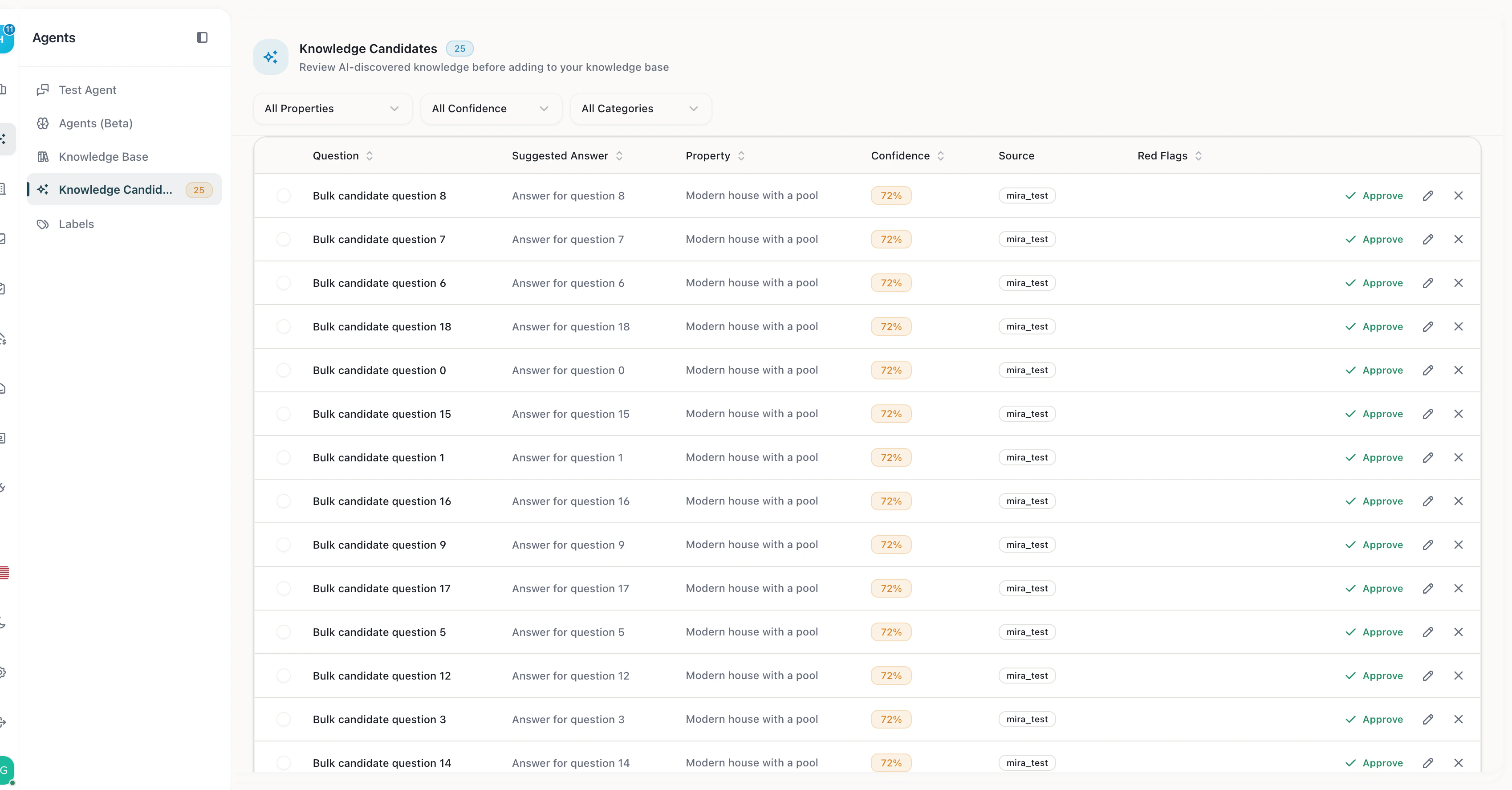
MIRA Knowledge Candidates — review AI-suggested knowledge before adding to your knowledge base
- Approve — adds the question and answer to your knowledge base immediately
- Reject — dismisses the candidate (MIRA won’t suggest it again)
- Edit — modify the suggested answer before approving
Filtering Candidates
Filter candidates by:- Property — see candidates for a specific property
- Confidence level — focus on high-confidence suggestions first
- Category — filter by topic type
Why MIRA Matters
Without MIRA, improving your AI requires manually identifying knowledge gaps — reading through conversations to find unanswered questions. MIRA automates this discovery process:- No knowledge gaps go unnoticed — every unanswered question becomes a candidate
- AI accuracy improves continuously — each approved candidate makes your AI smarter
- Human stays in control — MIRA suggests, you decide what goes into the knowledge base
- Per-property intelligence — candidates are linked to specific properties for targeted improvement
MIRA + AI Accuracy
The Knowledge Base page shows an AI Accuracy percentage per property. This measures how often the AI can answer guest questions using existing knowledge. As you approve MIRA candidates, this percentage increases — directly improving your automation rate.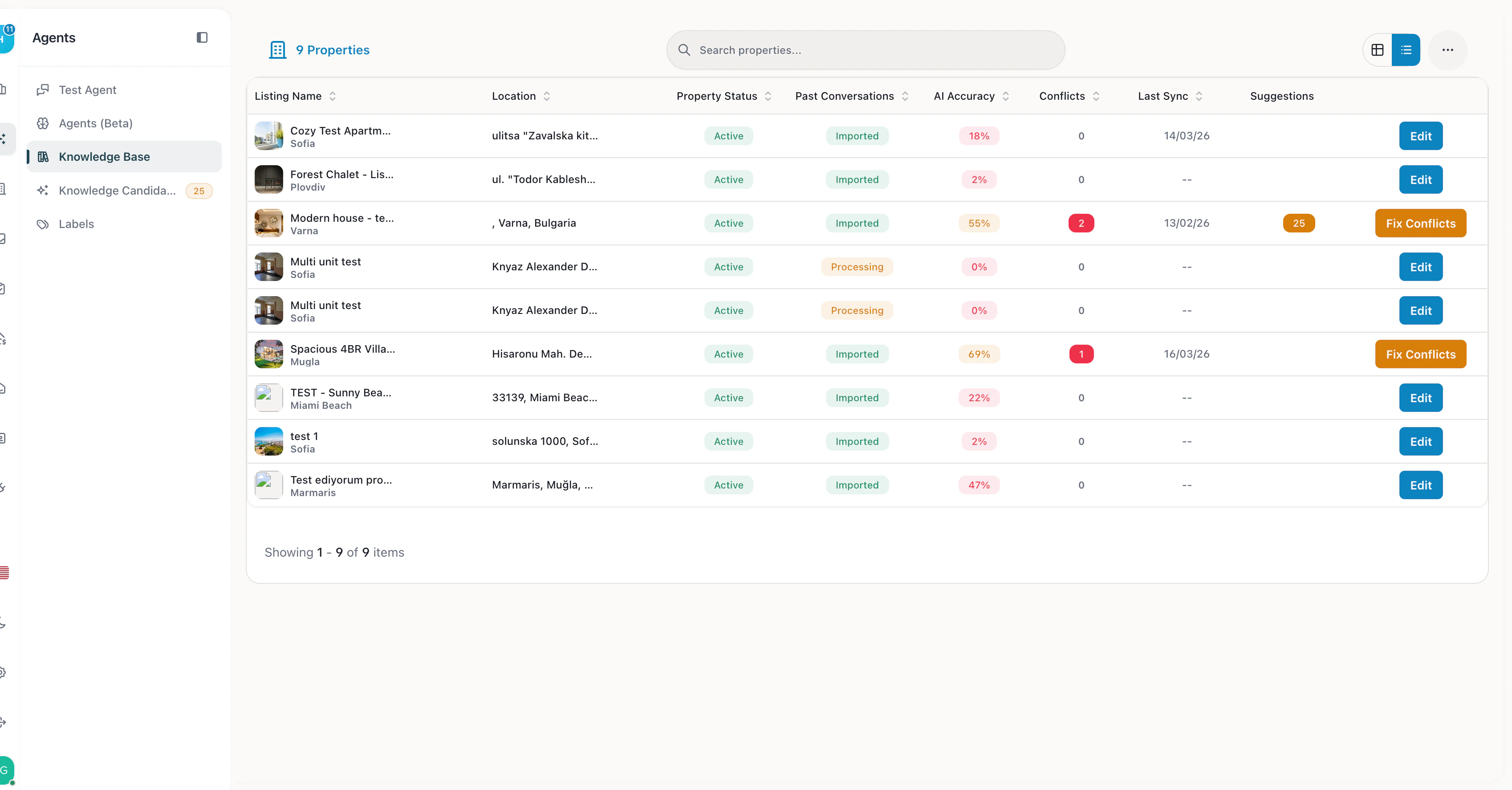
Knowledge Base with AI Accuracy scores per property