> ## Documentation Index
> Fetch the complete documentation index at: https://docs.cendra.ai/llms.txt
> Use this file to discover all available pages before exploring further.
# Labels & Conditions
> Cendra labels are conditional tags that automatically categorize conversations based on reservation data, guest behavior, and message content. Labels use a visual condition builder with 8 fields and 12+ operators.
Cendra labels are conditional tags that automatically categorize conversations based on reservation data, guest behavior, and message content. Unlike [tags](/ai-agents/tags) (which are applied by AI based on message analysis), labels are applied automatically when specific conditions are met.
## How Labels Work
Labels use a condition builder to define rules. When a conversation matches the conditions, the label is automatically applied. Labels can then be used to:
* **Filter conversations** in the inbox
* **Trigger AI Rules** — apply specific guardrails only to labeled conversations
* **Route conversations** — direct labeled conversations to specific team members
* **Track patterns** — monitor how many conversations match each condition
## Label Configuration
Navigate to Agent Hub → Labels to create and manage labels: [https://app.cendra.ai/labels](https://app.cendra.ai/labels)
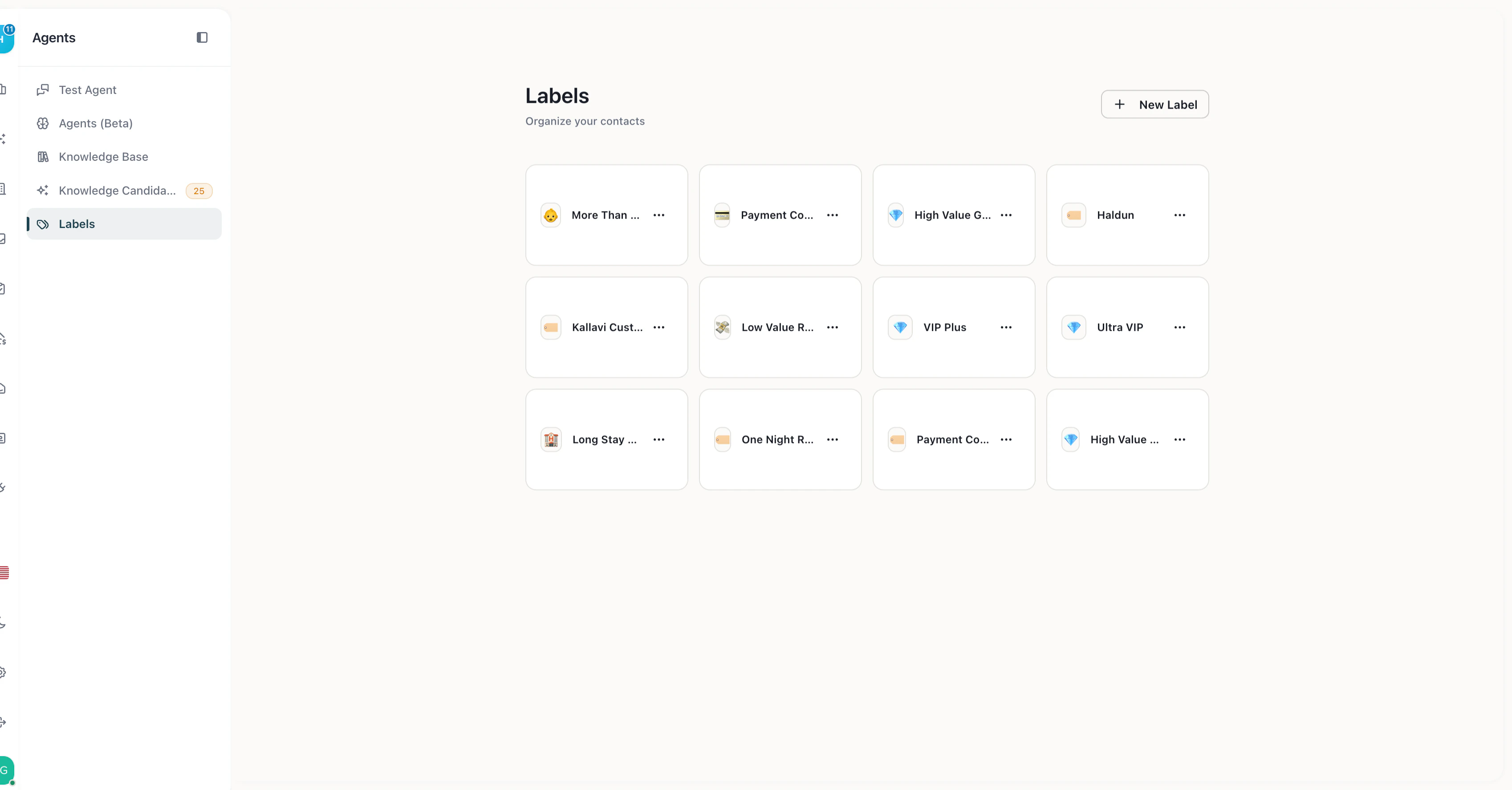 Each label has:
* **Name** — descriptive label (e.g., "VIP Guest", "Long Stay", "Returning Guest")
* **Icon** — emoji for visual identification
## Condition Builder
Labels use a visual condition builder with these fields:
| Field | Type | Example conditions |
| ------------------ | ------------- | ------------------------------------------ |
| **numberOfNights** | Number | Greater than 7 (long-stay guests) |
| **message** | String | Contains "complaint", starts with "urgent" |
| **category** | Enum | Equals "VIP", equals "inquiry" |
| **source** | String | Equals "Airbnb", equals "Booking.com" |
| **propertyId** | Property list | Equals specific property |
| **metadata** | String | Contains custom data |
| **isReturning** | Boolean | Equals true (returning guest) |
| **checkInDate** | Date | Greater than today, less than next week |
## Operators
Each field type supports different operators:
| Field type | Available operators |
| ----------- | ------------------------------------------------------------------------------------------- |
| **String** | equals, not equals, contains, not contains, starts with, ends with, regex, empty, not empty |
| **Number** | equals, greater than, less than |
| **Enum** | equals, not equals, in, not in, empty, not empty |
| **Boolean** | equals, not equals |
| **Date** | equals, greater than, less than, empty, not empty |
## Example Labels
| Label | Condition | Use case |
| --------------- | ------------------------------ | ------------------------------------------------ |
| VIP Guest | category equals "vip" | Apply premium service rules |
| Long Stay | numberOfNights greater than 7 | Different communication style for extended stays |
| Returning Guest | isReturning equals true | Personalized welcome, skip routine instructions |
| Airbnb Booking | source equals "Airbnb" | Channel-specific procedures |
| Last-Minute | checkInDate less than tomorrow | Urgent pre-arrival communication |
## Labels + AI Rules
Labels connect to [AI Rules](/ai-agents/ai-rules) for conditional guardrail enforcement. When you create an AI Rule, you can restrict it to specific labels — the rule only applies when the conversation has that label.
**Example:** Create a rule "Offer 10% discount for long stays" restricted to the "Long Stay" label. The AI only offers the discount when the guest's reservation is 7+ nights.
## Managing Labels
1. Navigate to **Agent Hub → Labels**
2. Click **Create Label**
3. Set the name and icon
4. Add conditions using the visual builder
5. Save — the label takes effect immediately
Each label has:
* **Name** — descriptive label (e.g., "VIP Guest", "Long Stay", "Returning Guest")
* **Icon** — emoji for visual identification
## Condition Builder
Labels use a visual condition builder with these fields:
| Field | Type | Example conditions |
| ------------------ | ------------- | ------------------------------------------ |
| **numberOfNights** | Number | Greater than 7 (long-stay guests) |
| **message** | String | Contains "complaint", starts with "urgent" |
| **category** | Enum | Equals "VIP", equals "inquiry" |
| **source** | String | Equals "Airbnb", equals "Booking.com" |
| **propertyId** | Property list | Equals specific property |
| **metadata** | String | Contains custom data |
| **isReturning** | Boolean | Equals true (returning guest) |
| **checkInDate** | Date | Greater than today, less than next week |
## Operators
Each field type supports different operators:
| Field type | Available operators |
| ----------- | ------------------------------------------------------------------------------------------- |
| **String** | equals, not equals, contains, not contains, starts with, ends with, regex, empty, not empty |
| **Number** | equals, greater than, less than |
| **Enum** | equals, not equals, in, not in, empty, not empty |
| **Boolean** | equals, not equals |
| **Date** | equals, greater than, less than, empty, not empty |
## Example Labels
| Label | Condition | Use case |
| --------------- | ------------------------------ | ------------------------------------------------ |
| VIP Guest | category equals "vip" | Apply premium service rules |
| Long Stay | numberOfNights greater than 7 | Different communication style for extended stays |
| Returning Guest | isReturning equals true | Personalized welcome, skip routine instructions |
| Airbnb Booking | source equals "Airbnb" | Channel-specific procedures |
| Last-Minute | checkInDate less than tomorrow | Urgent pre-arrival communication |
## Labels + AI Rules
Labels connect to [AI Rules](/ai-agents/ai-rules) for conditional guardrail enforcement. When you create an AI Rule, you can restrict it to specific labels — the rule only applies when the conversation has that label.
**Example:** Create a rule "Offer 10% discount for long stays" restricted to the "Long Stay" label. The AI only offers the discount when the guest's reservation is 7+ nights.
## Managing Labels
1. Navigate to **Agent Hub → Labels**
2. Click **Create Label**
3. Set the name and icon
4. Add conditions using the visual builder
5. Save — the label takes effect immediately